What's New
SpaceONE strives to continuously update with new features.
We regularly provide a variety of news updates.
2025년 1월 업데이트
January 20, 2025
2024년 11월 업데이트
November 22, 2024
2024년 10월 업데이트
October 23, 2024
2024년 8월 업데이트
August 22, 2024
2024년 7월 업데이트
July 24, 2024
2024년 6월 업데이트
June 19, 2024
2024년 5월 업데이트
May 22, 2024
2024년 4월 업데이트
April 30, 2024
2024년 3월 업데이트
March 26, 2024
2024년 2월 업데이트
February 27, 2024
2024년 1월 업데이트
January 25, 2024
November 2023 Update
November 30, 2023
October 2023 Update
October 30, 2023
2023년 8월 업데이트
August 29, 2023
2023년 6월 업데이트
June 27, 2023
May 2023 Update
May 30, 2023
April 2023 Update
April 25, 2023
March 2023 Update
March 28, 2023
February 2023 Update
February 28, 2023
December 2022 Update
December 27, 2022
November 2022 Update
November 29, 2022
Asset Change History(변경관리 이력)
July 29, 2022
December 2022 Update
December 27, 2022
Hello, this is Megazone Cloud SpaceONE.
We'll let you know about the updated and improved features for December 2022!
1. Asset Inventory
Introducing the 'Tag auto-completion feature' that allows you to conveniently view all the tags in use.
1.1 Cloud Service Tag Auto-completion
Looking for tags used in AWS?
With SpaceONE's tag-based auto-completion feature, you can easily search for and retrieve cloud resources based on the tags in use. No more wandering to find the desired tag keys!
Conveniently utilize all the tags set within your cloud in SpaceONE

⓵ Click the [Asset Inventory] button → [Cloud Services] button
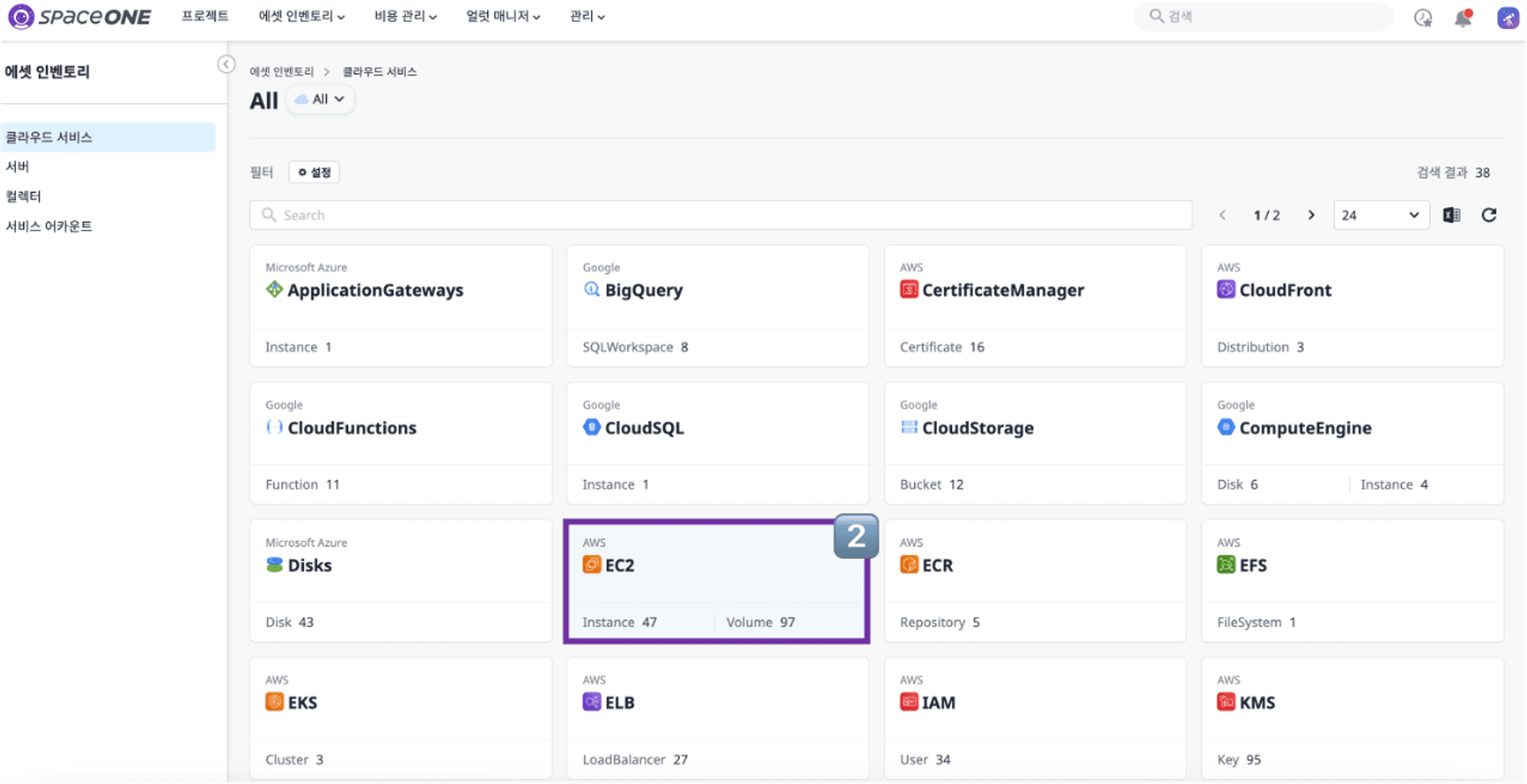
⓶ Select a specific provider from the cloud service group list
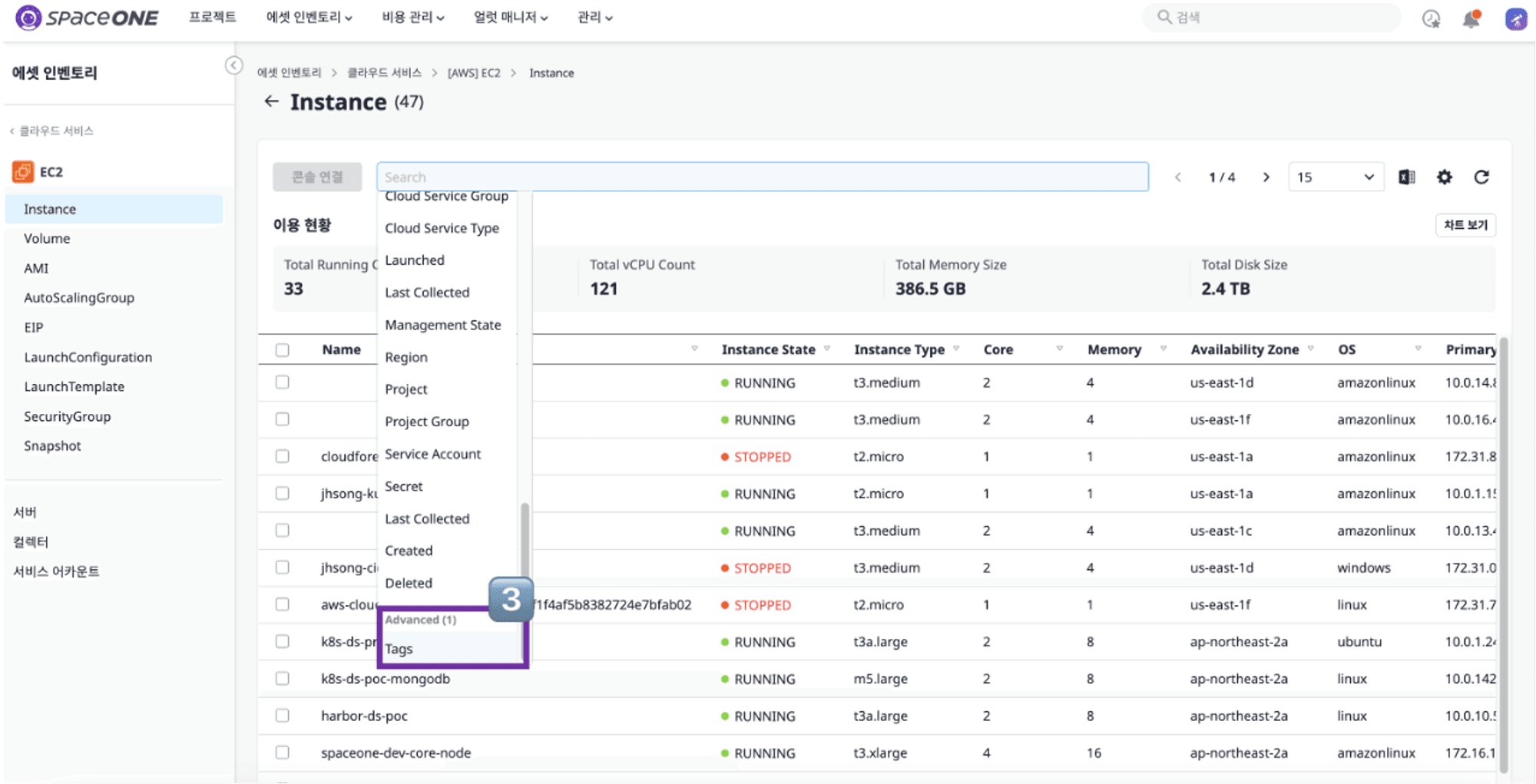
⓷ Click the search bar and select the tag below the scroll
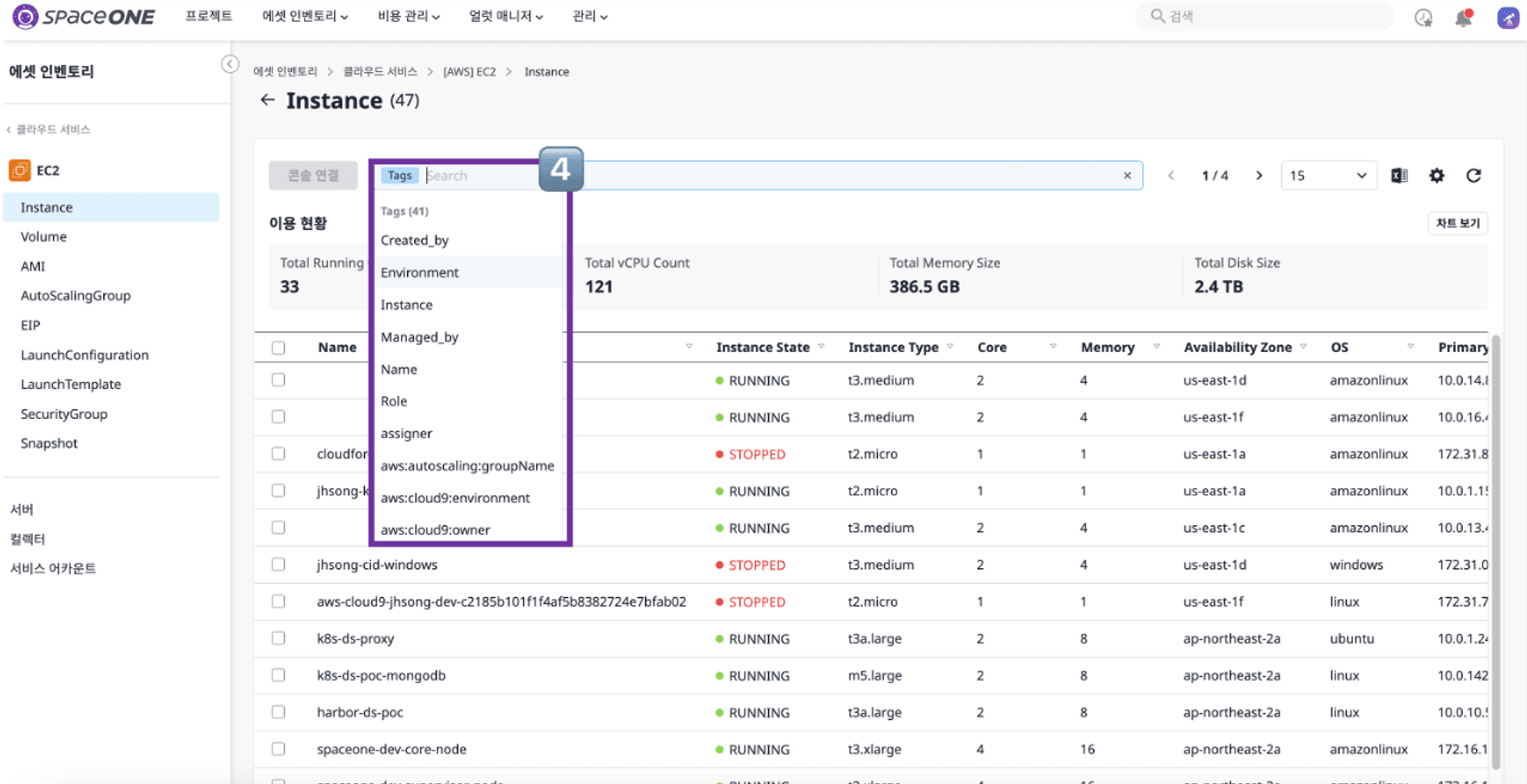
⓸ Select the desired resources based on the tag
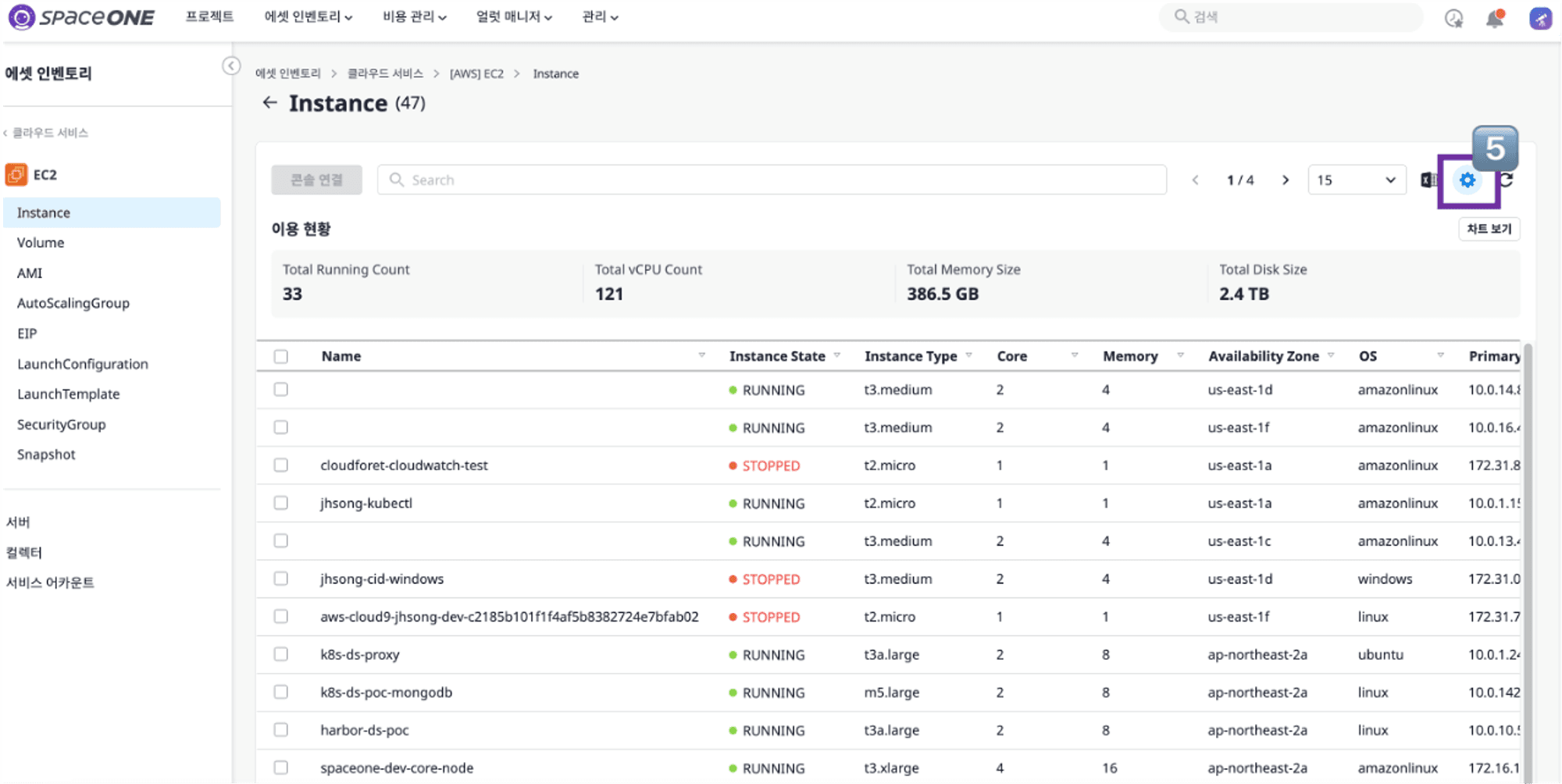
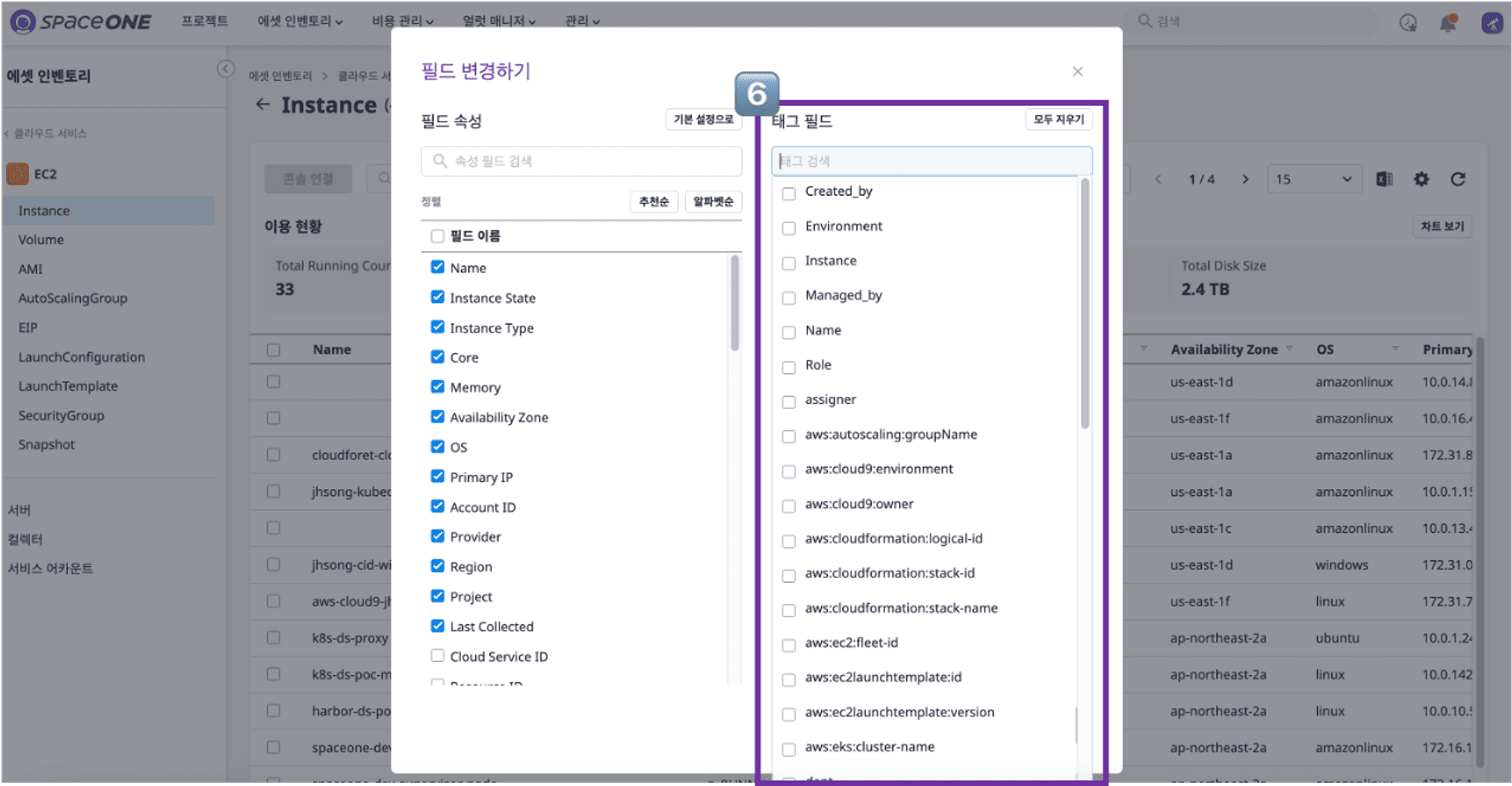
⓹ Cloud Service detail page settings button
⓺ Add the desired tags according to the field properties
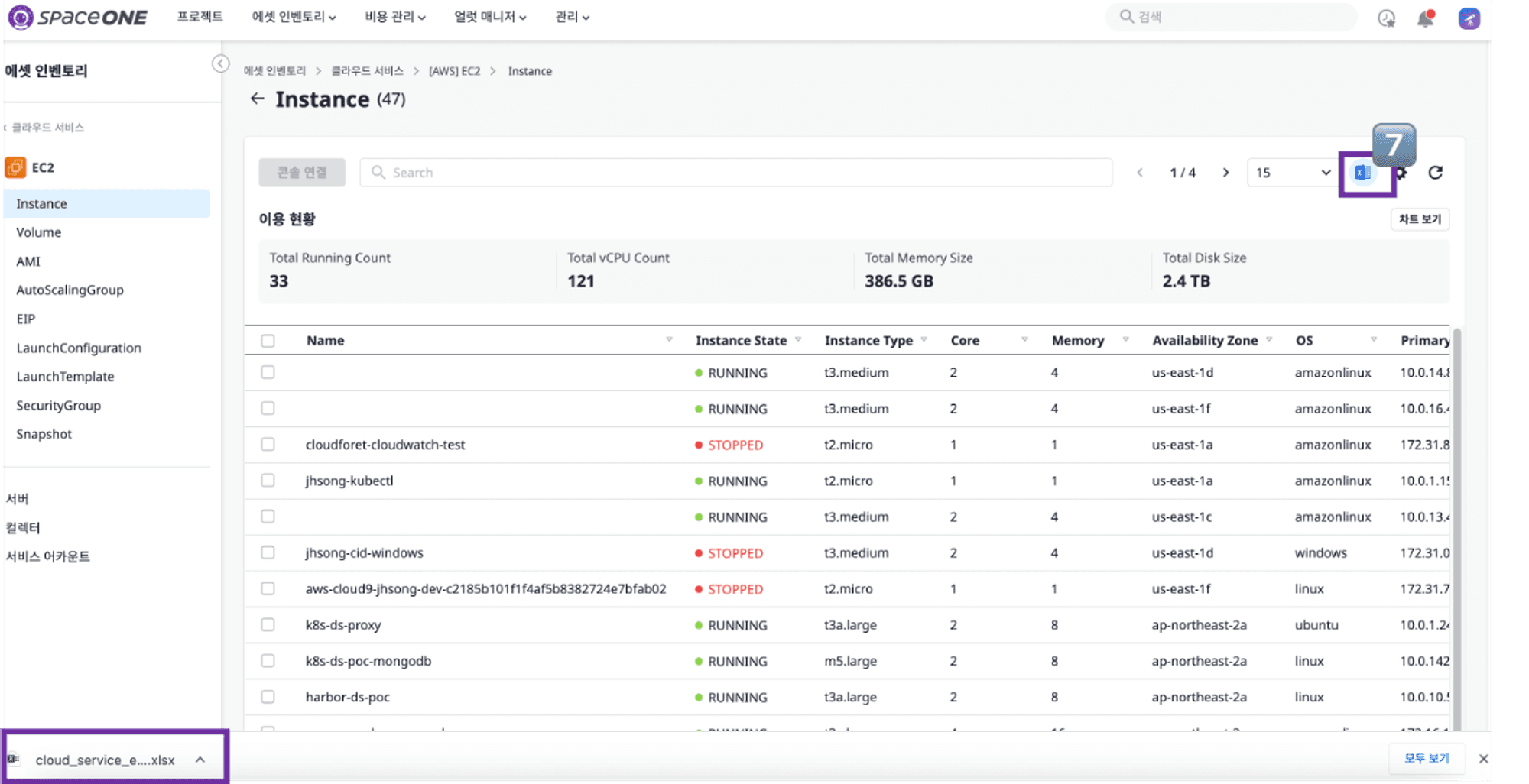
⓻ Verify the update reflection on the columns of the table in use
⓼ Click the [Excel] button to complete the download
1.2 Plugin Update
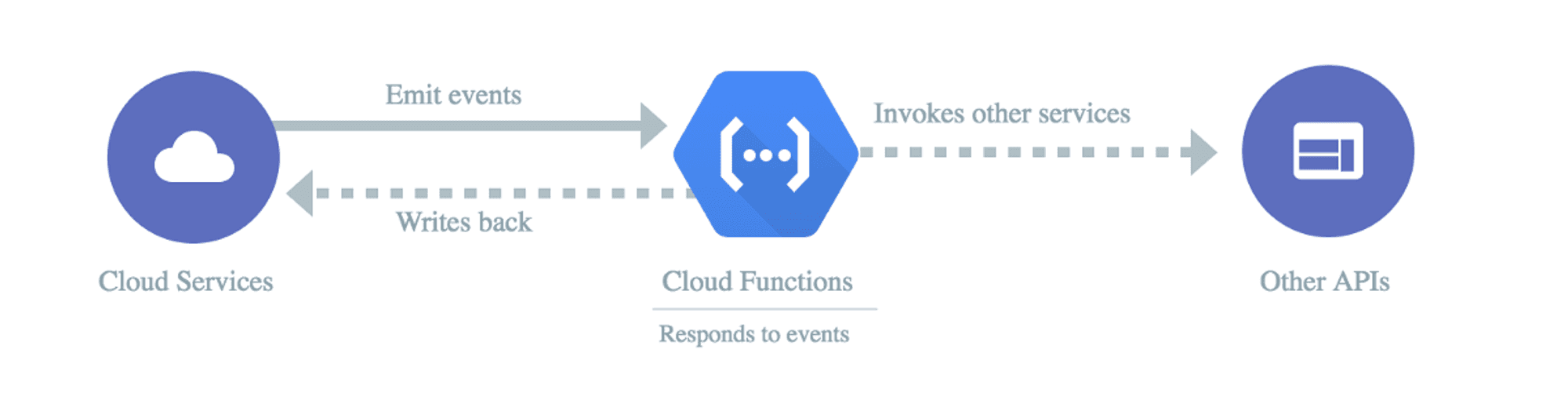
Cloud Functions functionality has been added to the Google Cloud plugin.
Learn more about Google Cloud Functions > Check developer comments >
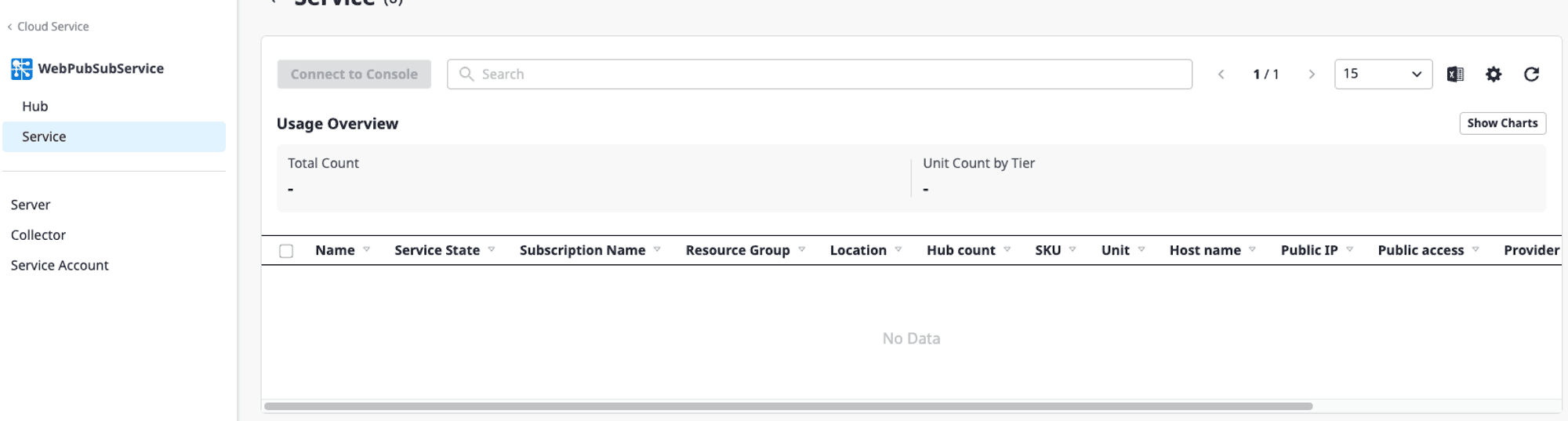
Web PubSub Service functionality has been added to the Azure plugin.
Learn more about Azure Web PubSub Service > Check developer comments >
2. Cost Explorer
The feature has been improved to allow users to use the entire set of cost tags they have configured
Cost Usage Tag Complete View
During cost analysis, you can use all the cost tags you have configured to conduct cost inquiries.
With the cost tags you desire, you can conduct detailed cost analysis by team or service.

⓵ Click the [Cost Management] button → [Cost Analysis] button

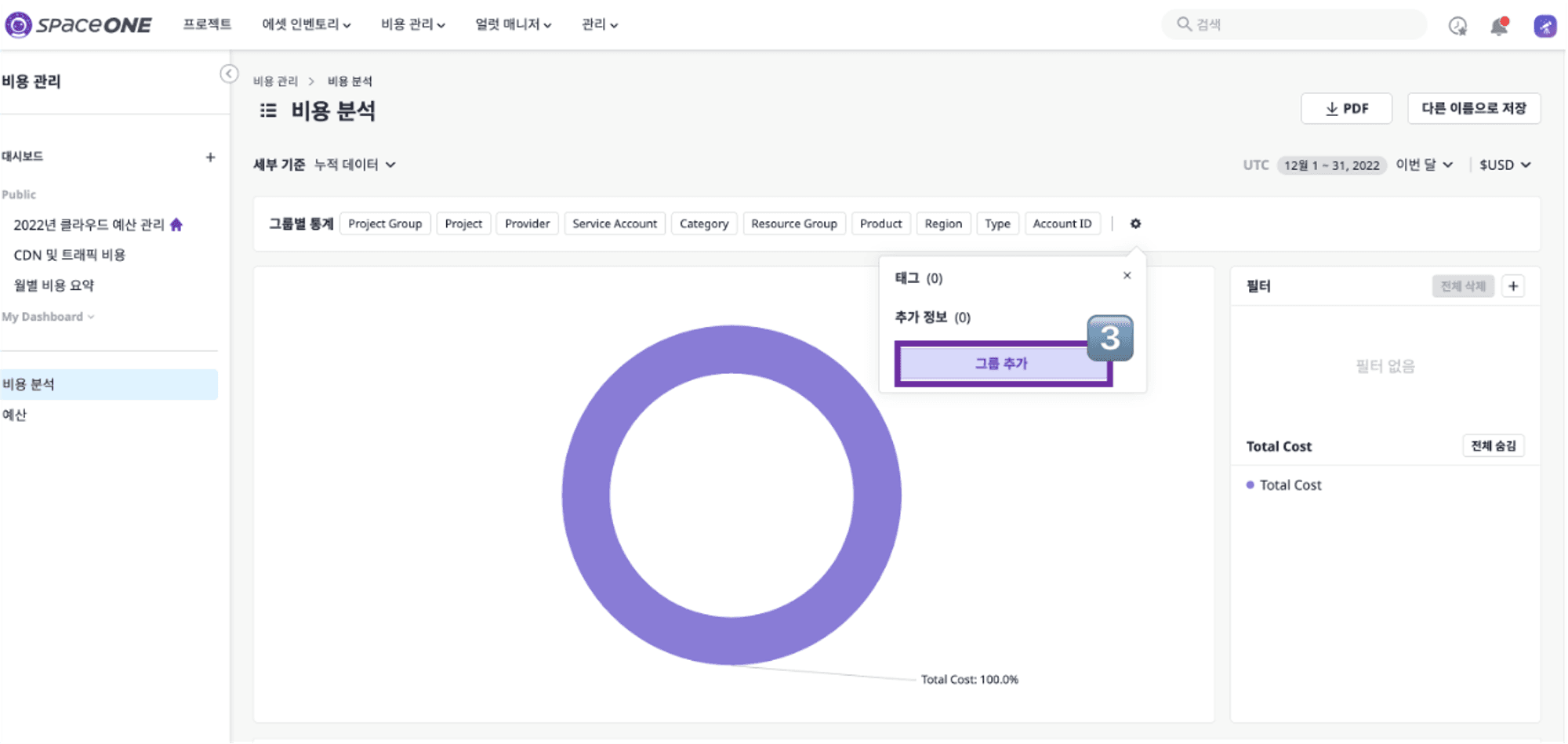
⓶ Click the settings button
⓷ Click the [Add Group] button
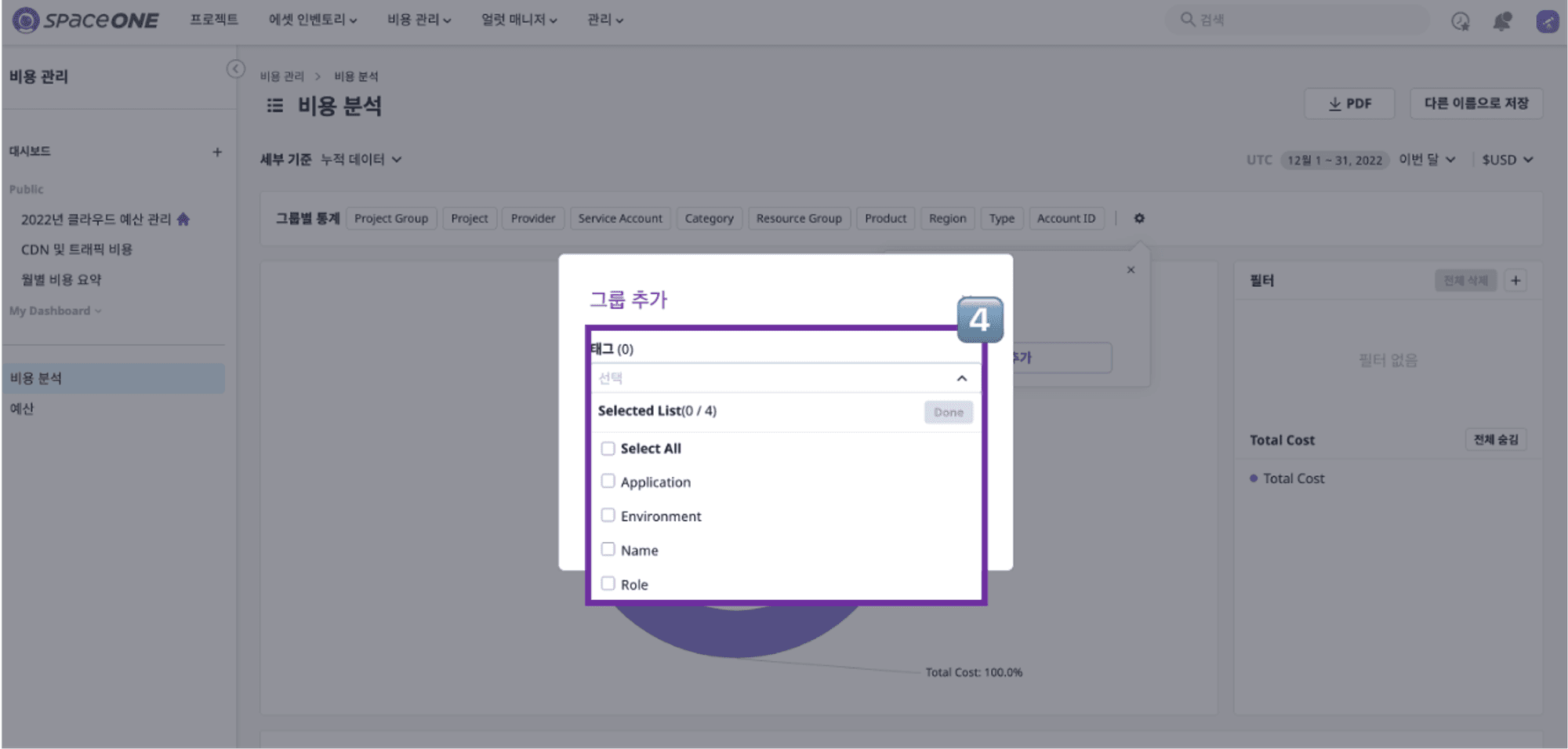
⓸ Select the desired tag among all the tags for inquiries
