What's New
SpaceONE strives to continuously update with new features.
We regularly provide a variety of news updates.
2025년 1월 업데이트
January 20, 2025
2024년 11월 업데이트
November 22, 2024
2024년 10월 업데이트
October 23, 2024
2024년 8월 업데이트
August 22, 2024
2024년 7월 업데이트
July 24, 2024
2024년 6월 업데이트
June 19, 2024
2024년 5월 업데이트
May 22, 2024
2024년 4월 업데이트
April 30, 2024
2024년 3월 업데이트
March 26, 2024
2024년 2월 업데이트
February 27, 2024
2024년 1월 업데이트
January 25, 2024
November 2023 Update
November 30, 2023
October 2023 Update
October 30, 2023
2023년 8월 업데이트
August 29, 2023
2023년 6월 업데이트
June 27, 2023
May 2023 Update
May 30, 2023
April 2023 Update
April 25, 2023
March 2023 Update
March 28, 2023
February 2023 Update
February 28, 2023
December 2022 Update
December 27, 2022
November 2022 Update
November 29, 2022
Asset Change History(변경관리 이력)
July 29, 2022
April 2023 Update
April 25, 2023
Hello, this is Megazone Cloud SpaceONE.
We will inform you of the updated and improved features in April 2023!
1. Asset Inventory
Are you managing multiple projects with one Service Account?
SpaceONE allows project routing based on tags set in AWS.
By utilizing the Collector Rule feature, you can now set project branching based on tag criteria for cloud services. Try configuring the resources collected through Collector to be assigned to the desired projects and tagged criteria!
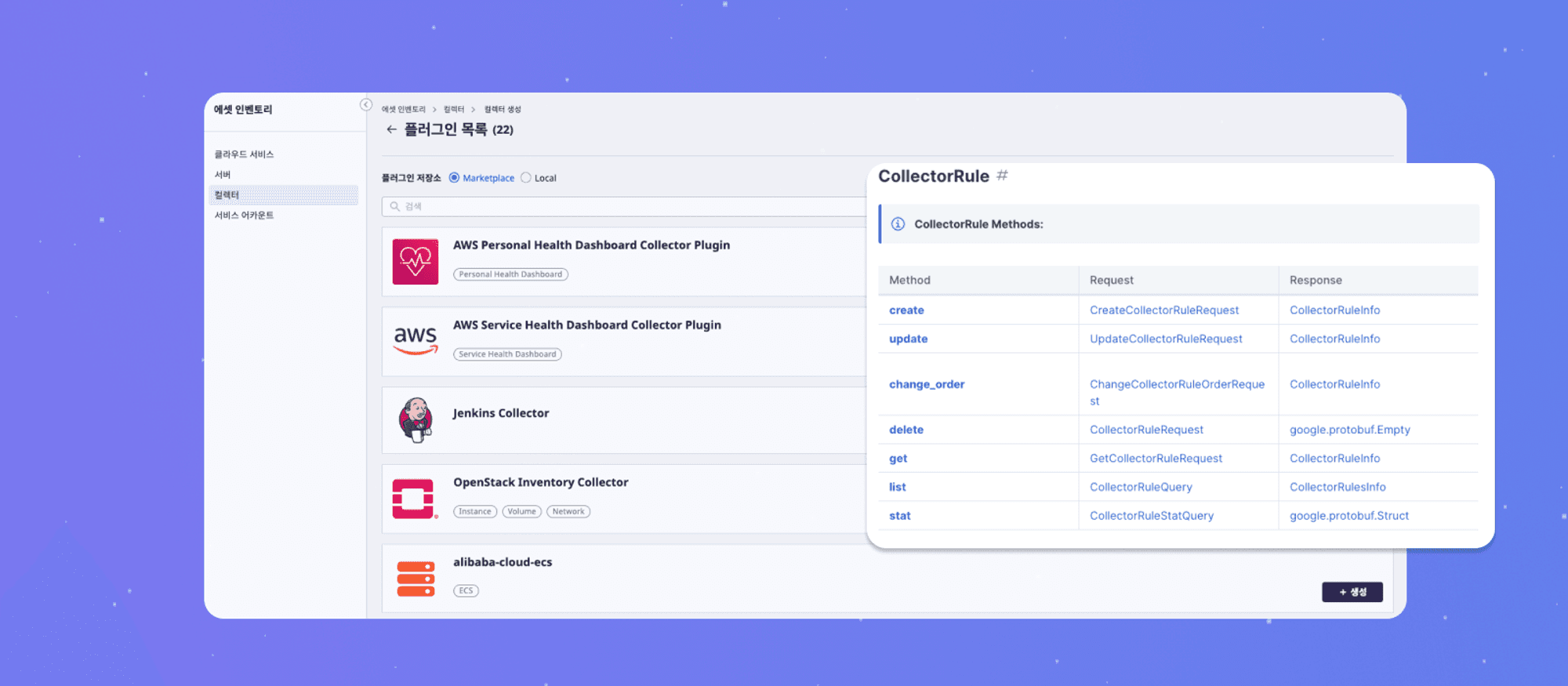
🥸 Utilizing Collector Rule Tip
(1) Route all resources collected by the collector-7163022d49a1 to project-3458f667e090
(2) Specify resources collected by collector-3c3caec8cc67, which have tag.Environment=dev, to project_id=xxxxx
💡 Terminology
Collector: A plugin that collects cloud resources. Collectors can collect resource data manually or according to a predefined schedule.
Collector Rule: Cloud service resources that filter data from the Collector. Cloud service resources are created after the data is filtered by the Collector Rule.
2. Cost Explorer
2.1 Datasource Rule
Do you want to add and store information such as Service account or Project to cost data?
With Datasource Rule settings in SpaceONE, it is possible to map each project or cost based on tags. Datasource Rule can be easily configured through the CLI, and you can refer to various examples to make the most of it!
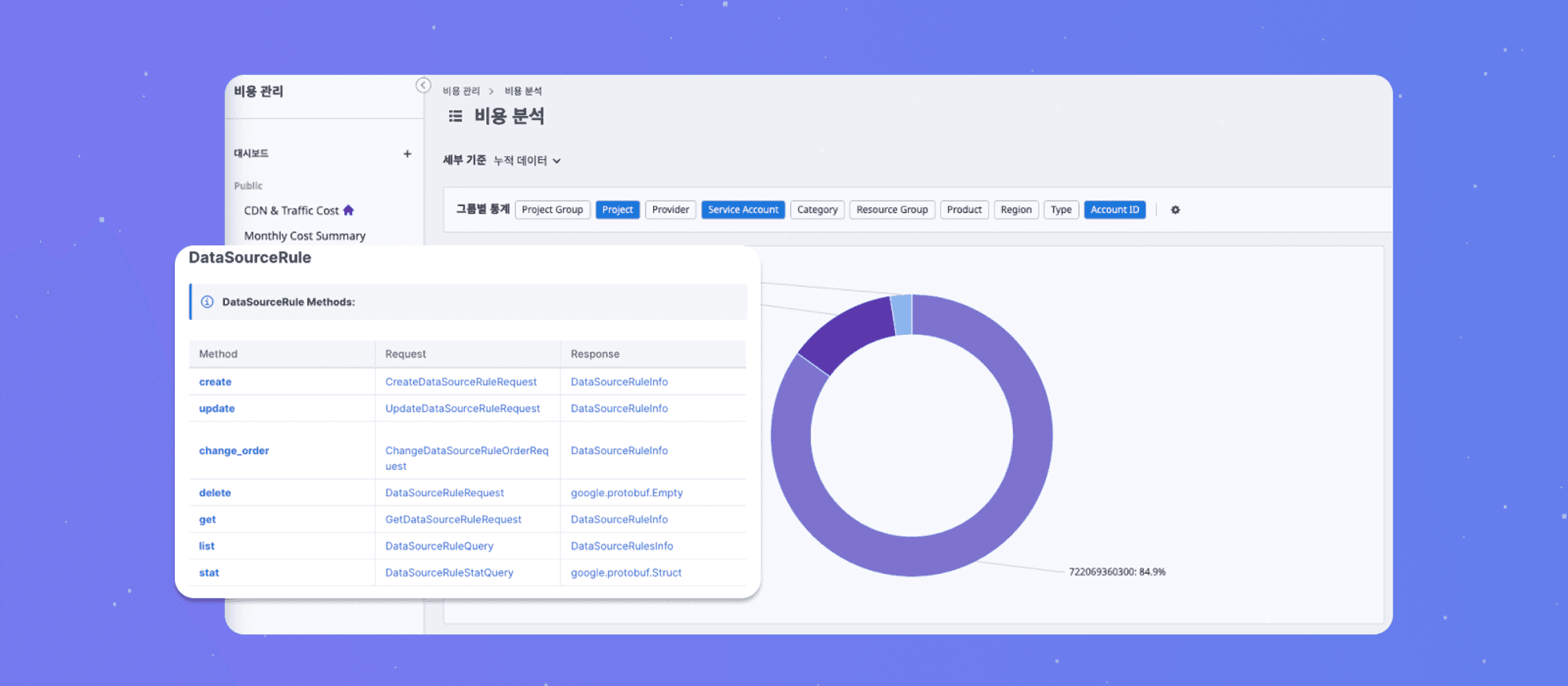
🥸 Utilizing Datasource Rule Tip
(1) Map the account of Cost collected by data_source_id: ds-86bbf01f06cc to the account_id of Service Account
(2) Specify the cost with tag.Environment=dev collected by data_source_id: ds-3c3caec8cc67 to project_id: project-009e5053af67
💡 Terminology
Datasource: A plugin that collects external cost data. External cost data consists of measurement data and plugin information used for collection.
Datasource Rule: Resources that filter measurement data from the Datasource. Cost resources are created after the measurement data is filtered by the Datasource Rule.
2.2 Plugin http file cost datasource
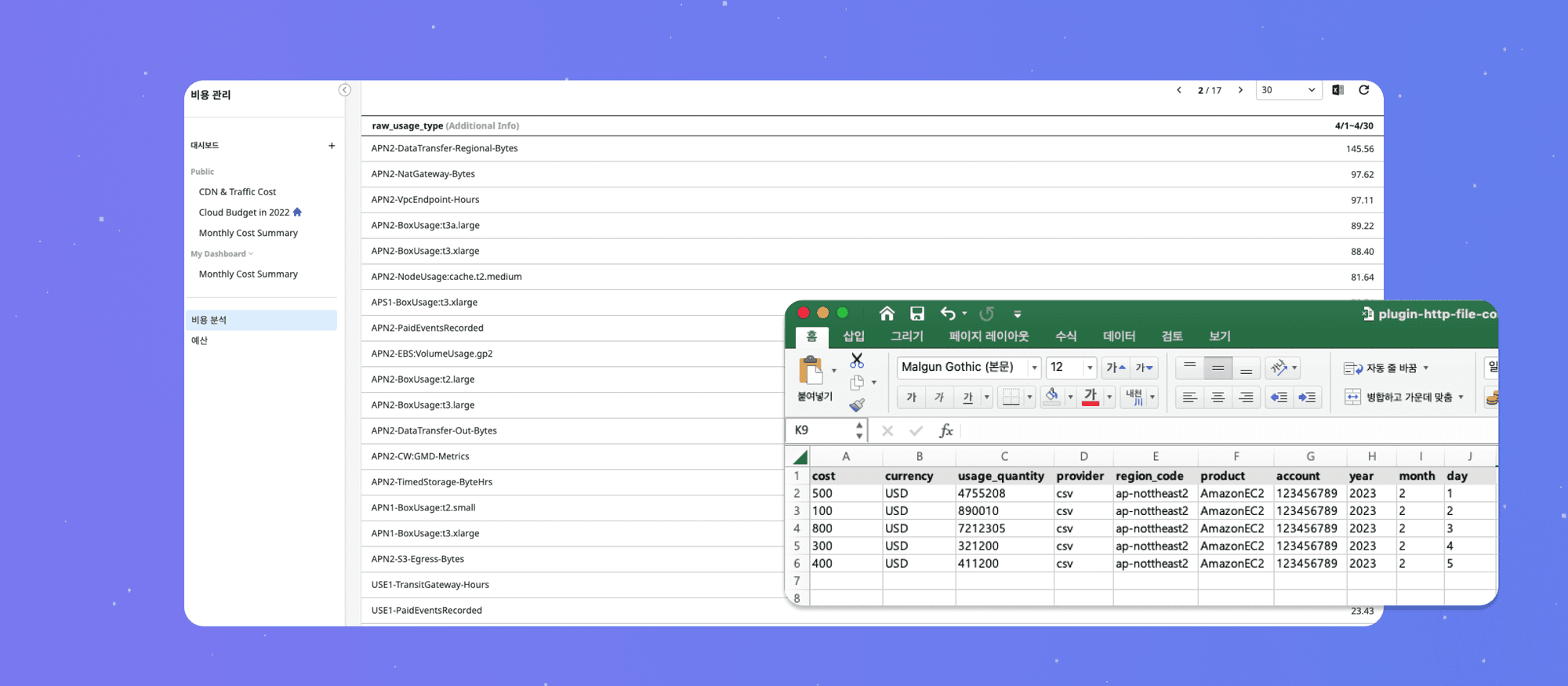
Do you want to view all IT costs throughout the company, including software, licenses, and hardware managed within the company, in one dashboard, in addition to cloud costs?
Utilize SpaceONE's Cost Explorer service to check the overall IT costs of the company on one dashboard. You can also register data sources by creating cost raw data in Excel as a csv file through the Plugin.
For more information, please check on Github!

3. Service Portal
The design of the lower part of the SpaceONE homepage has been improved.
It has been redesigned using Jelly Octopus to lower the entry barrier for user demo experiences. Check out the redesigned design on SpaceONE Service Portal!

4. Bugs & Fixes
Asset Inventory
An issue where sorting was not applied to a specific table type's header column in the detailed information on the cloud service page has been fixed.
The issue where the Region of Affected Resource information within Trusted Advisor was displayed as 2 has been resolved.
Alert Manager
The issue of the Telegram plugin consuming excessive memory over time has been resolved.
Console Service
The issue of the Session Expired modal appearing after logging in has been resolved.
