What's New
SpaceONE strives to continuously update with new features.
We regularly provide a variety of news updates.
2025년 1월 업데이트
January 20, 2025
2024년 11월 업데이트
November 22, 2024
2024년 10월 업데이트
October 23, 2024
2024년 8월 업데이트
August 22, 2024
2024년 7월 업데이트
July 24, 2024
2024년 6월 업데이트
June 19, 2024
2024년 5월 업데이트
May 22, 2024
2024년 4월 업데이트
April 30, 2024
2024년 3월 업데이트
March 26, 2024
2024년 2월 업데이트
February 27, 2024
2024년 1월 업데이트
January 25, 2024
November 2023 Update
November 30, 2023
October 2023 Update
October 30, 2023
2023년 8월 업데이트
August 29, 2023
2023년 6월 업데이트
June 27, 2023
May 2023 Update
May 30, 2023
April 2023 Update
April 25, 2023
March 2023 Update
March 28, 2023
February 2023 Update
February 28, 2023
December 2022 Update
December 27, 2022
November 2022 Update
November 29, 2022
Asset Change History(변경관리 이력)
July 29, 2022
October 2023 Update
October 30, 2023
Hello, this is MegaZone Cloud SpaceONE.
We are thrilled to inform you of the updated and improved features in October 2023!
📊 Dashboard Feature Update
The existing [Cost Management > Dashboard] feature has been reborn as a consolidated independent service menu called [Dashboard].
Experience various widget options, advanced variables, and enhanced visualization.
Custom Dashboard Setting
Understand multi-cloud data information such as billing and assets intuitively with SpaceONE's dashboard!
Use SpaceONE's dashboard feature to visualize the data you want to see and manage it quickly, instead of analyzing each one individually as in the past.
Because it supports various chart configurations and graphic elements, you can quickly grasp the core of important data.
Introducing the newly renewed custom dashboard feature right now!
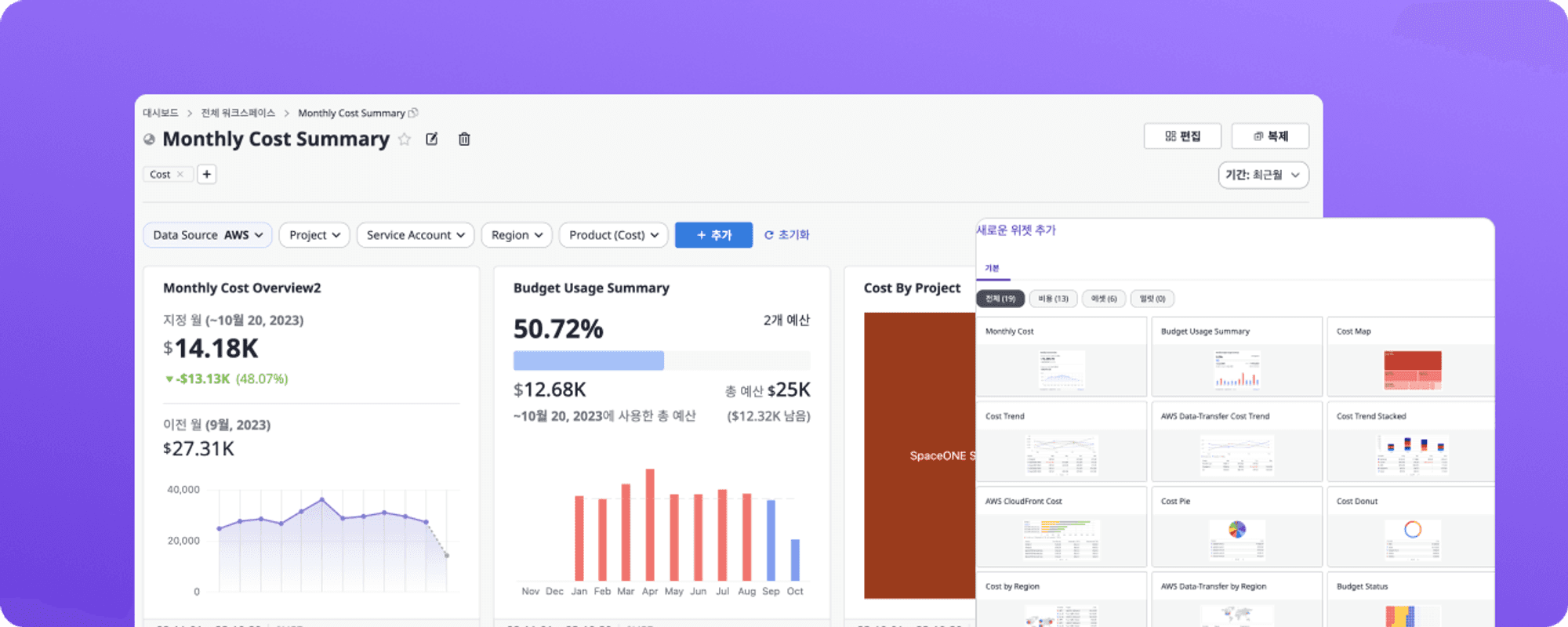
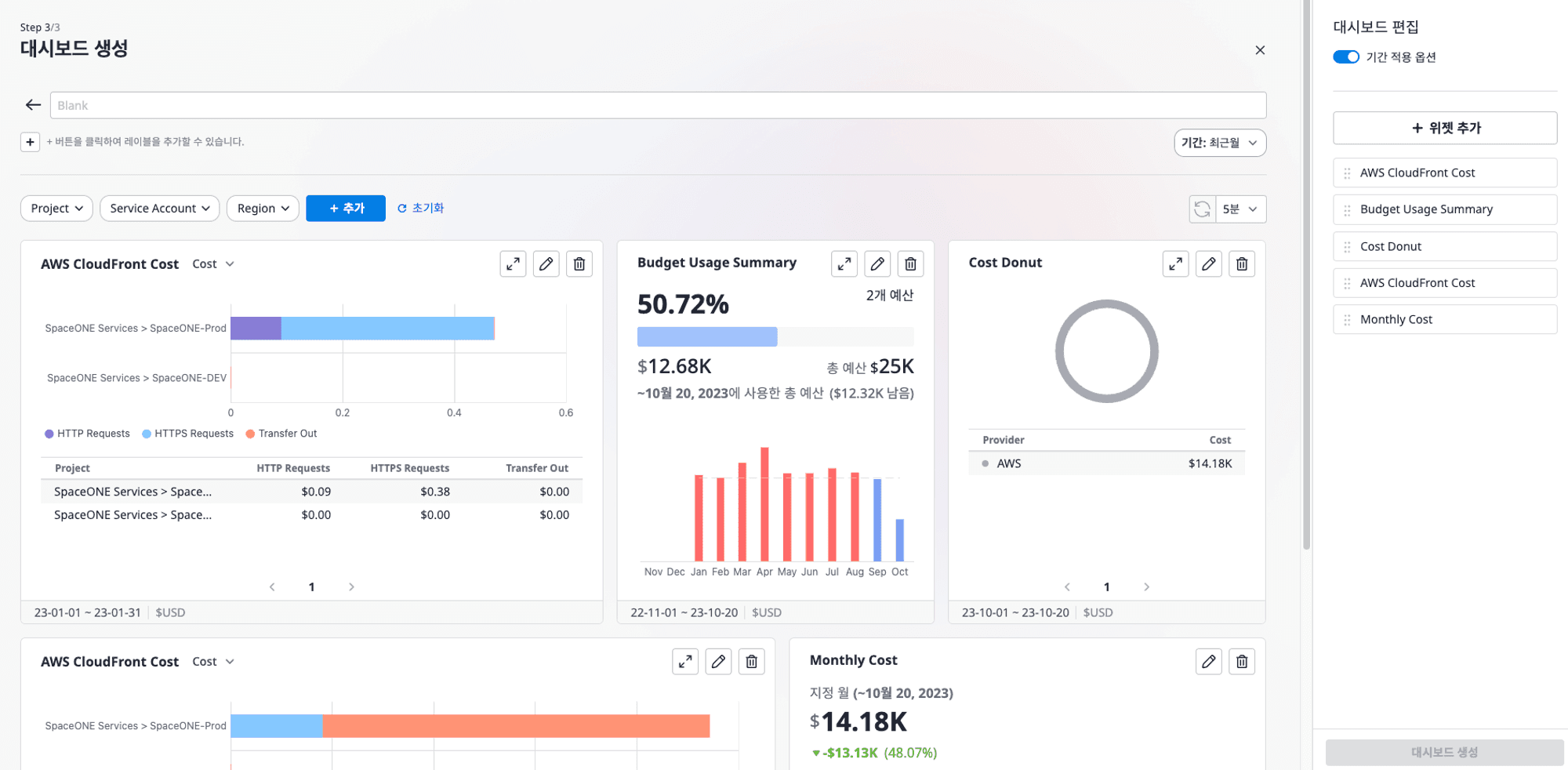
1. Dashboard Widget Visualization Improvement
The widget design has been newly improved to quickly grasp the key indicators of the data.
Quickly grasp major issues and gain insights.
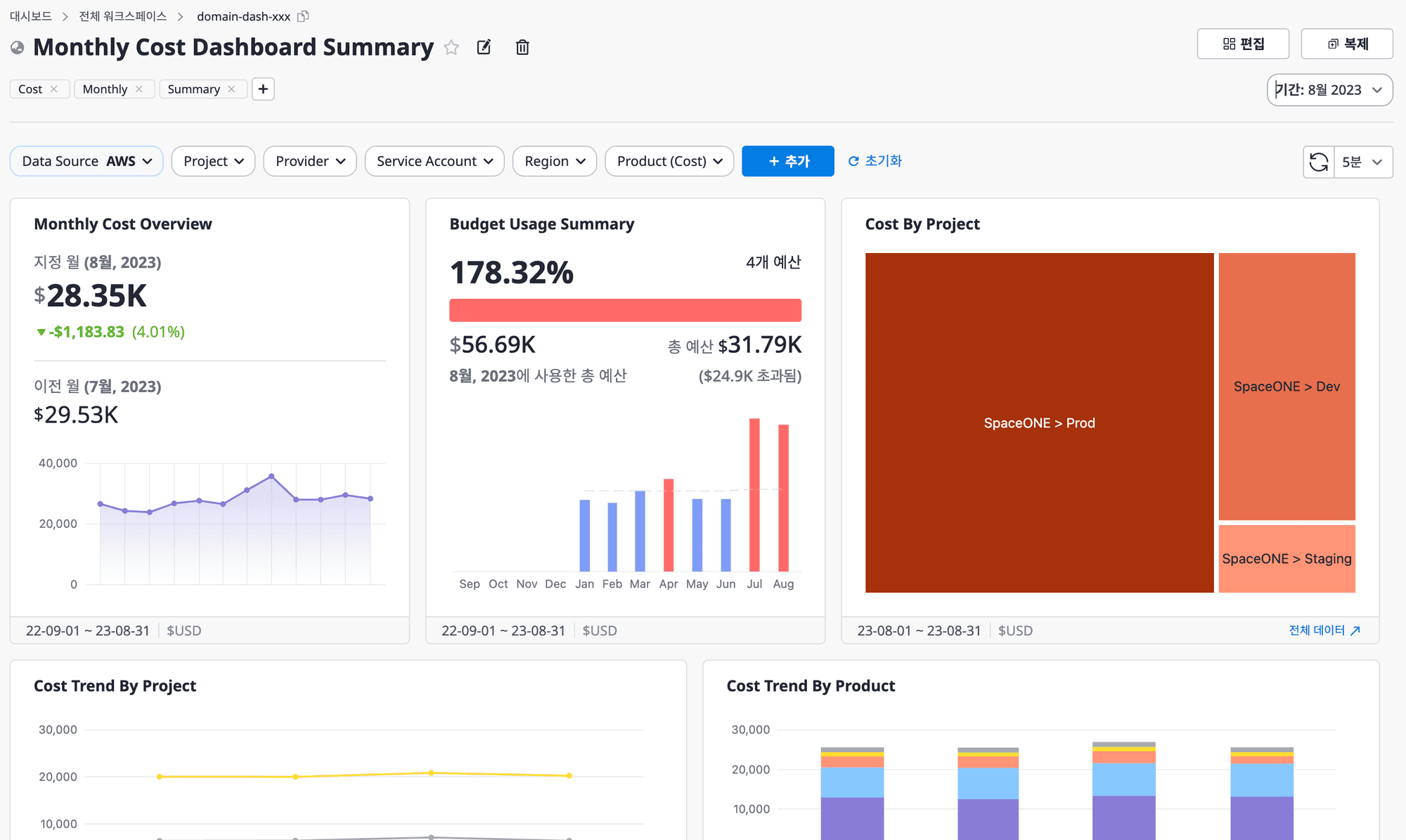
1-1. Monthly Cost Statistics
A dashboard chart that visualizes the status of cloud costs and budget usage by various group criteria.
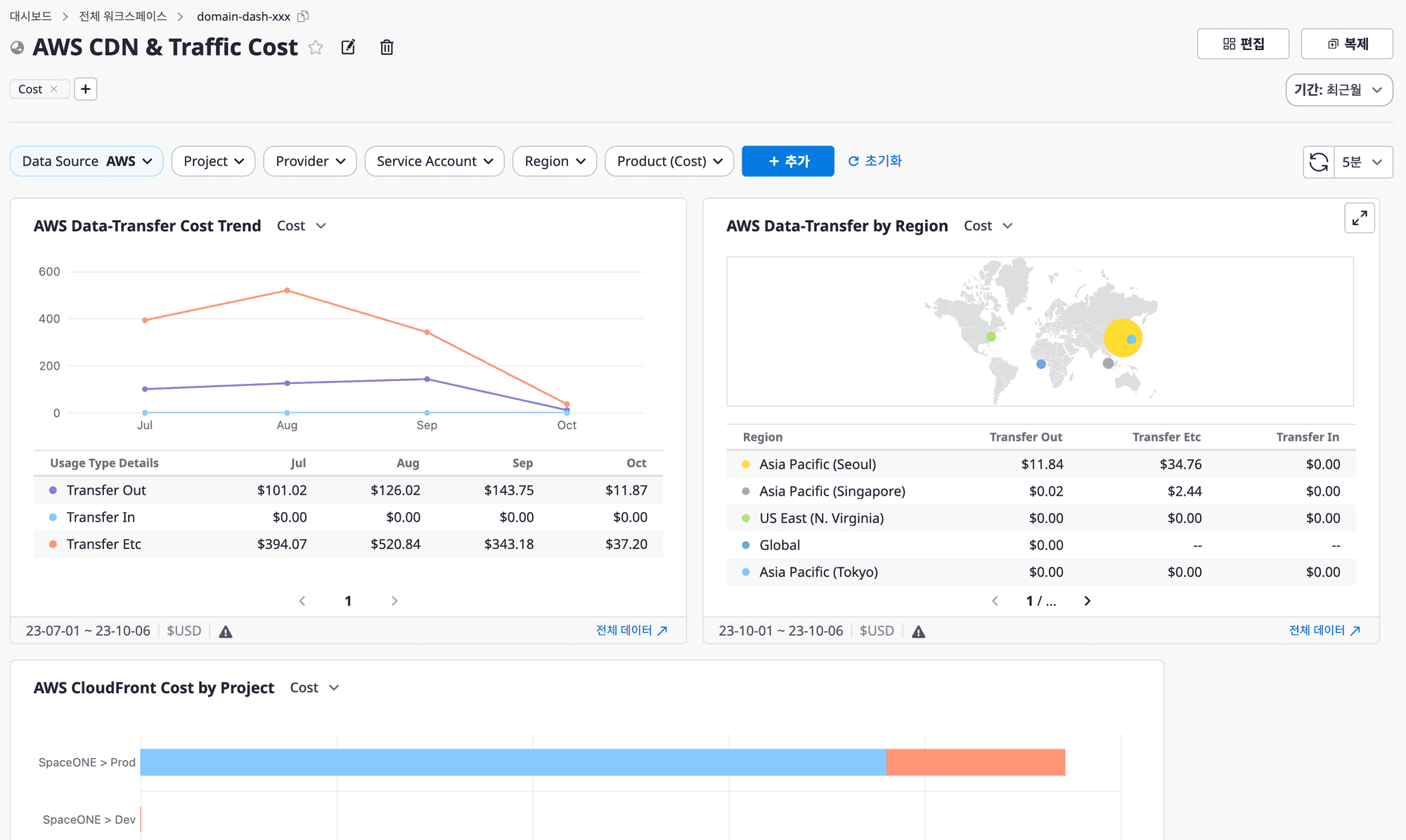
1-2. CDN and Traffic Costs
A dashboard chart that visualizes the cost and usage of specific cloud products related to CDN & Traffic.
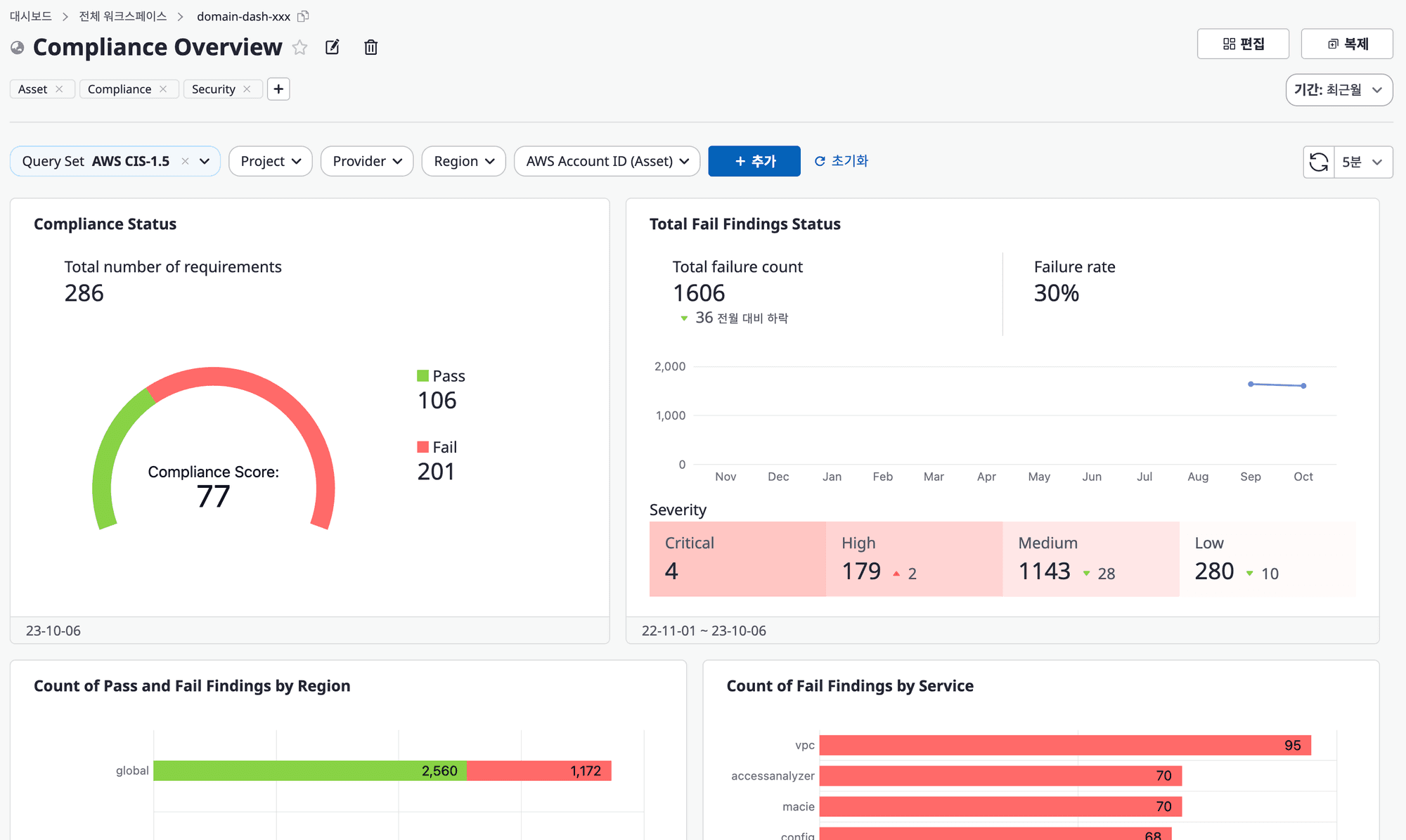
1-3. Compliance Status Management
Now, you can manage Compliance configuration checks and monitoring results as a dashboard chart, consolidating CSPM in SpaceONE.
1-4. Empty Dashboard
2. Dashboard Viewing Mode Support
Even in the [View] mode, immediate editing of labels, widgets, and filters is possible, greatly reducing the complexity of the screen.
Overall convenience has also been improved.
2-1. Visualization of Filter Application
There were times when it was difficult to verify whether the selected filter was properly reflected on the dashboard among the numerous information displayed using the filtering function.
Now, you can easily verify the application status of the filter visually.
Even if you only modify one filter, the save button is activated, making it more convenient to save.
While freely filtering the desired information, take a quick look at the dashboard.

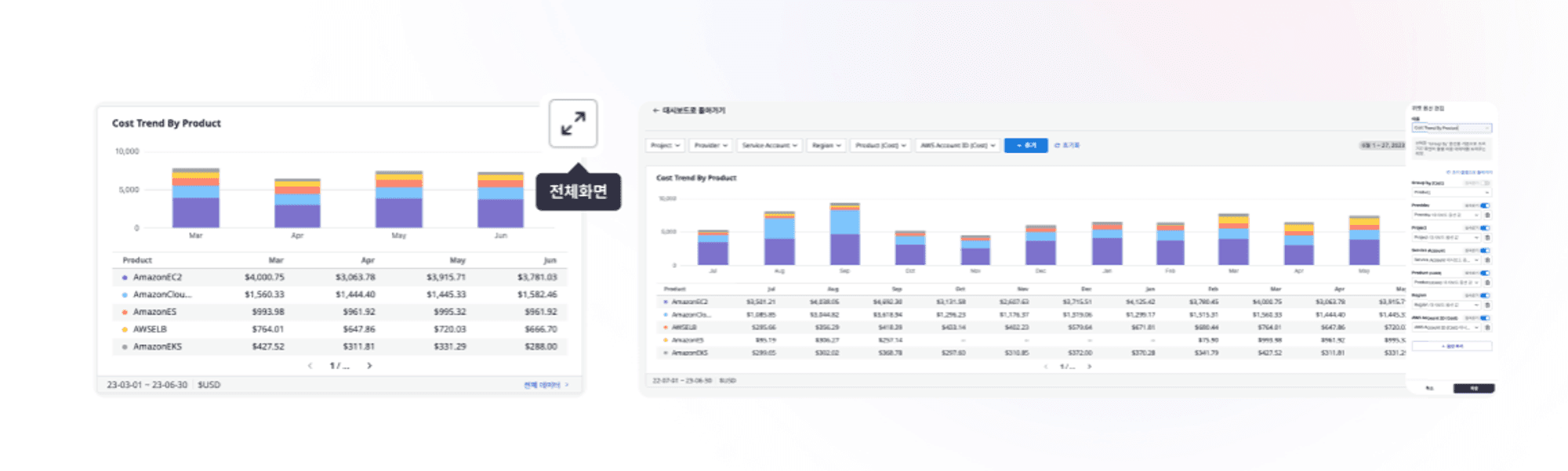
2-2. Full View of Widgets
Have you ever wanted to quickly see the data displayed in the widget at a glance?
Utilize SpaceONE's widget full mode.
Not only does it support full-screen function for each widget, but also allows editing widget options in full screen.
Customize to manage the cloud according to the data you want to see.
2-3. Quick Label Editing
Who made this dashboard? What kind of status did they want to see and make the dashboard for?
There may have been moments when it was difficult to grasp the status of the created dashboard.
Now, in the dashboard view mode, you can directly input, edit, and delete labels.
Through label usage, you can easily distinguish the dashboards and understand related tasks.

3. Dashboard Variable Management Improvement
Variable management, where specific option values in [Dashboard] widgets can be applied all at once, has been improved.
Not only easy and quick variable selection, but also meet the various variables provided by SpaceONE.
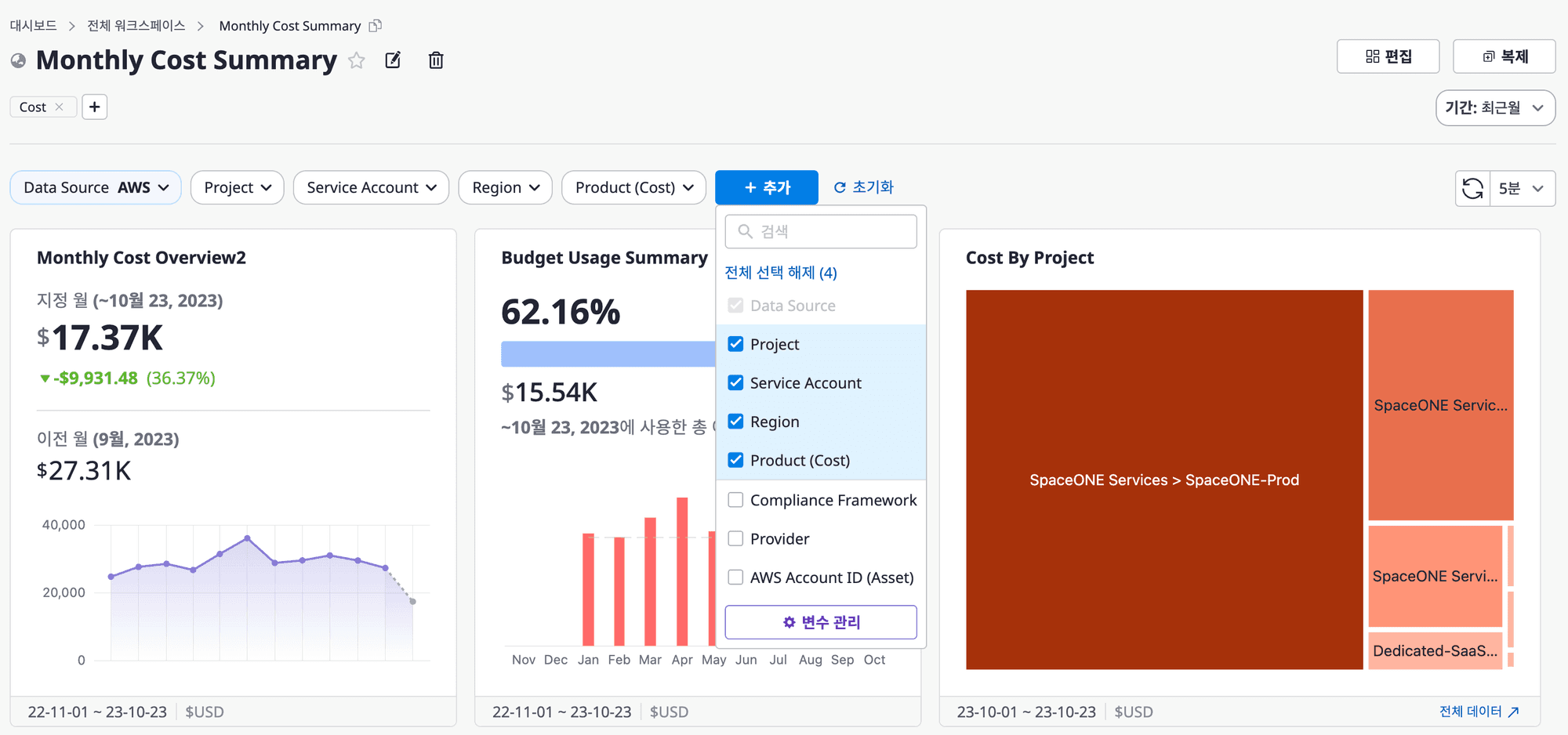
3-1. Immediate Widget Inheritance Reflection
A feature that can quickly change the range of various data in the widget through variables!
If you previously experienced inconvenience as the widget data disappeared when you modified a variable set value, now if you delete a specific variable being used in a widget, it will be automatically removed, and regardless of any variable you select, it will automatically be immediately inherited by all widgets.
3-2. Custom Variables
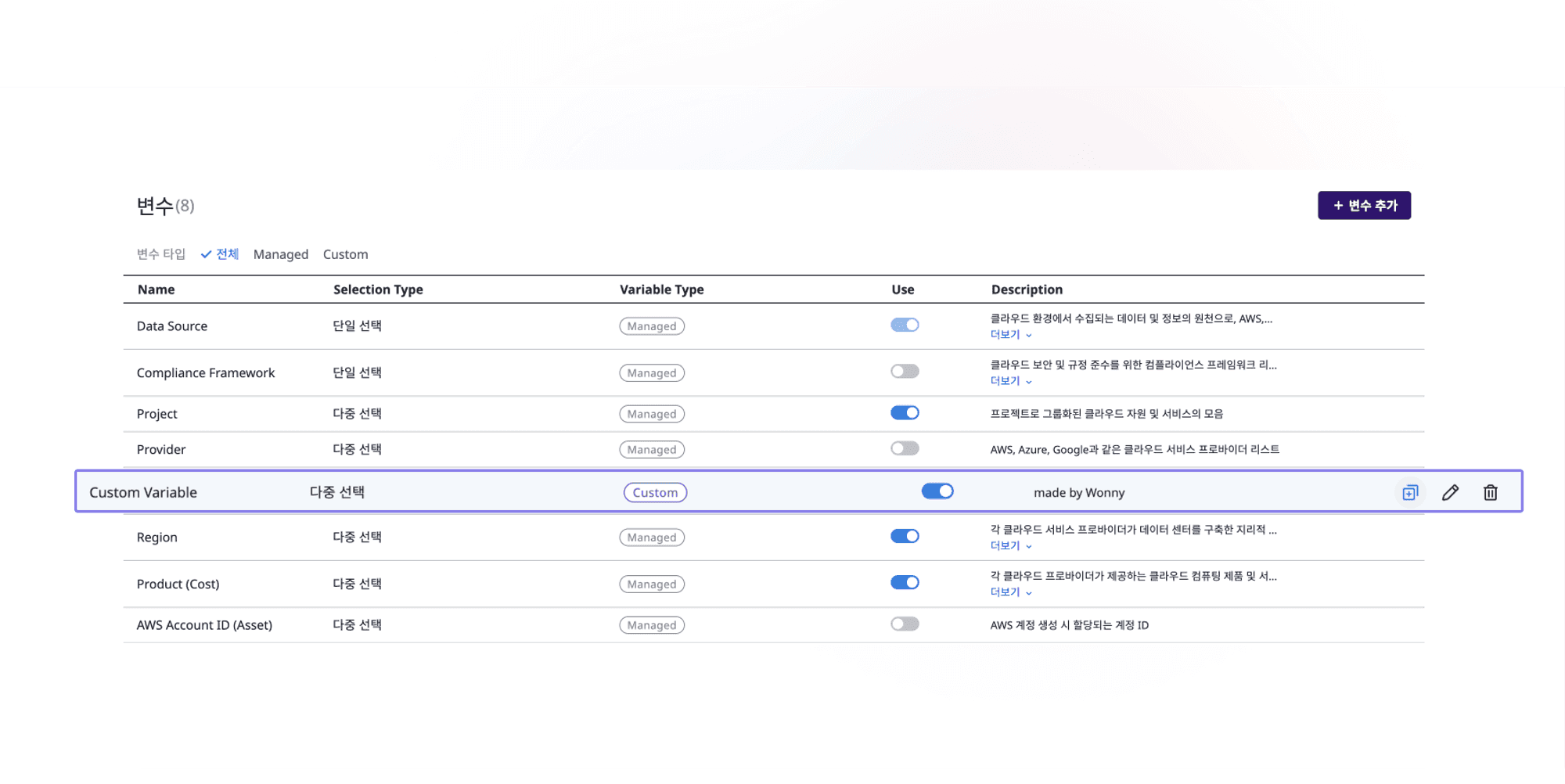
For those who found it cumbersome to create custom variables yourself, pay attention!
SpaceONE provides a wide range of variables as a default.
Through detailed explanations for each variable, you can set variables, and if necessary, create custom variables, conveniently improved for cloning, editing, and deleting.
Check out the dashboard variable feature that allows users to set as they wish.
4.REST API Official Support
Starting from v.1.12, SpaceONE officially supports REST API!
Now, easier integration and expansion are possible.
📃 Go to REST API Official Documentation
🐞 Bugs & Fixes
Dashboard
Fixed the issue of some dashboard widget text overlapping.
Improved the problem of untranslated descriptions in [Variable Management].
Cost Explorer
Improved to round off to the third decimal place when downloading the excel, previously, it was incorrectly displayed.
ETC
Fixed the error message issue that occurred in notification-only email authentication.
