What's New
SpaceONE strives to continuously update with new features.
We regularly provide a variety of news updates.
2025년 1월 업데이트
January 20, 2025
2024년 11월 업데이트
November 22, 2024
2024년 10월 업데이트
October 23, 2024
2024년 8월 업데이트
August 22, 2024
2024년 7월 업데이트
July 24, 2024
2024년 6월 업데이트
June 19, 2024
2024년 5월 업데이트
May 22, 2024
2024년 4월 업데이트
April 30, 2024
2024년 3월 업데이트
March 26, 2024
2024년 2월 업데이트
February 27, 2024
2024년 1월 업데이트
January 25, 2024
November 2023 Update
November 30, 2023
October 2023 Update
October 30, 2023
2023년 8월 업데이트
August 29, 2023
2023년 6월 업데이트
June 27, 2023
May 2023 Update
May 30, 2023
April 2023 Update
April 25, 2023
March 2023 Update
March 28, 2023
February 2023 Update
February 28, 2023
December 2022 Update
December 27, 2022
November 2022 Update
November 29, 2022
Asset Change History(변경관리 이력)
July 29, 2022
February 2023 Update
February 28, 2023
Hello, this is MegaZone Cloud SpaceONE.
Let me tell you about the updated and improved features in February 2023!
1. Asset Inventory
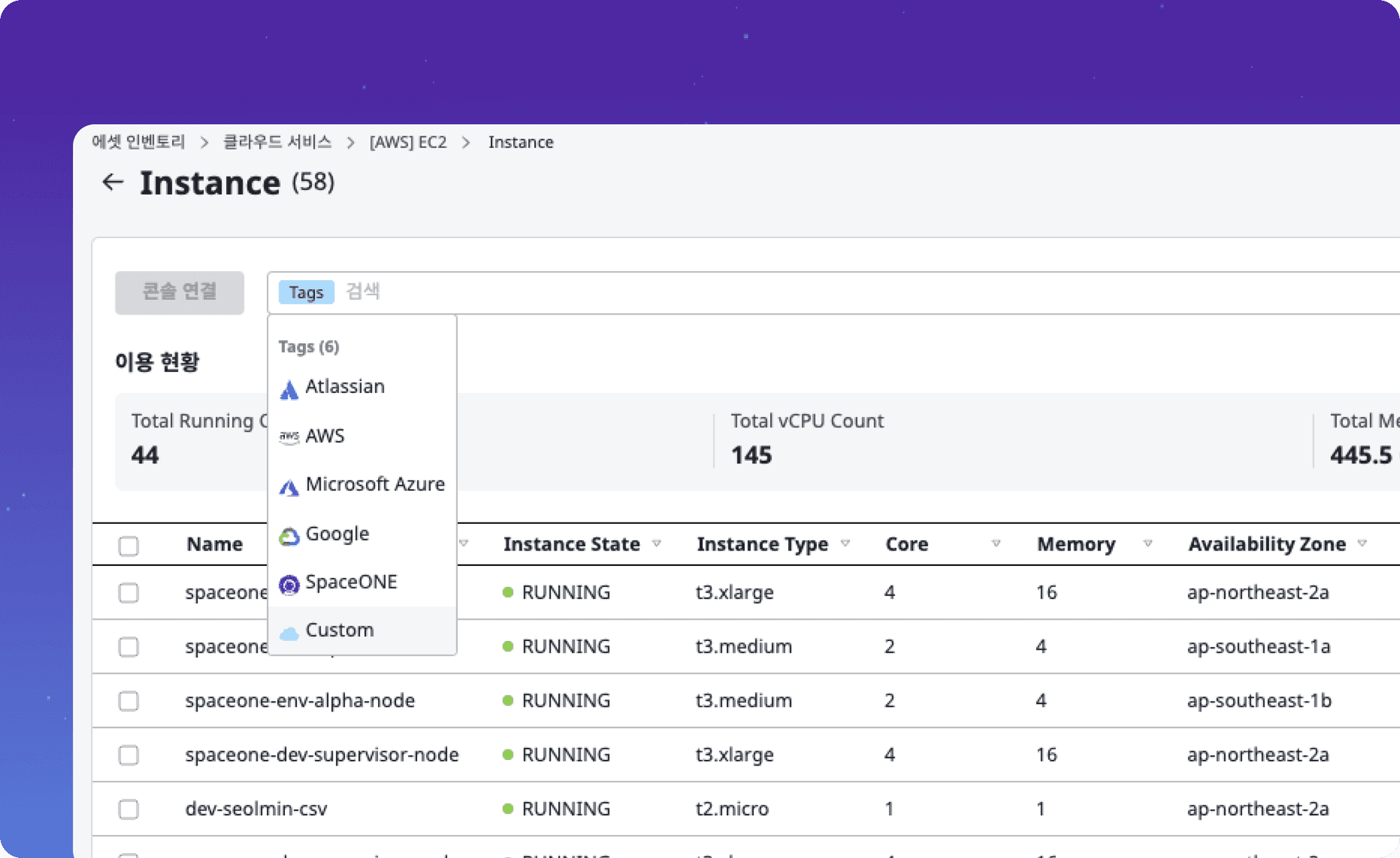
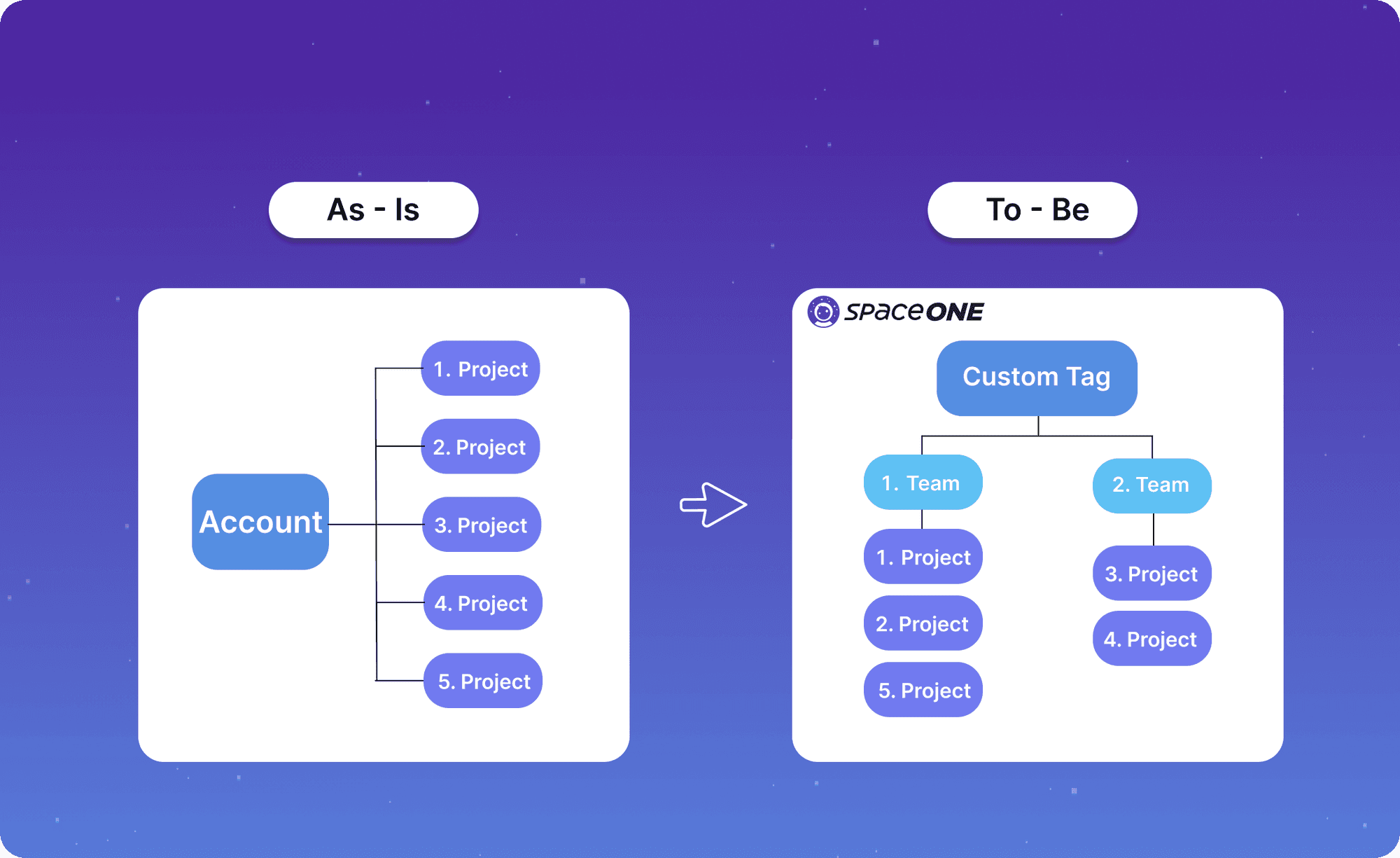
Do you find it inconvenient to check each project every time when using one account for multiple purposes?
The CollectorRule feature has been added to transform data collected by the Collector.
You can easily search for resource classification using the specific tag feature,
and try using tag-based search by dividing it into services or teams.
2. Cost Explorer
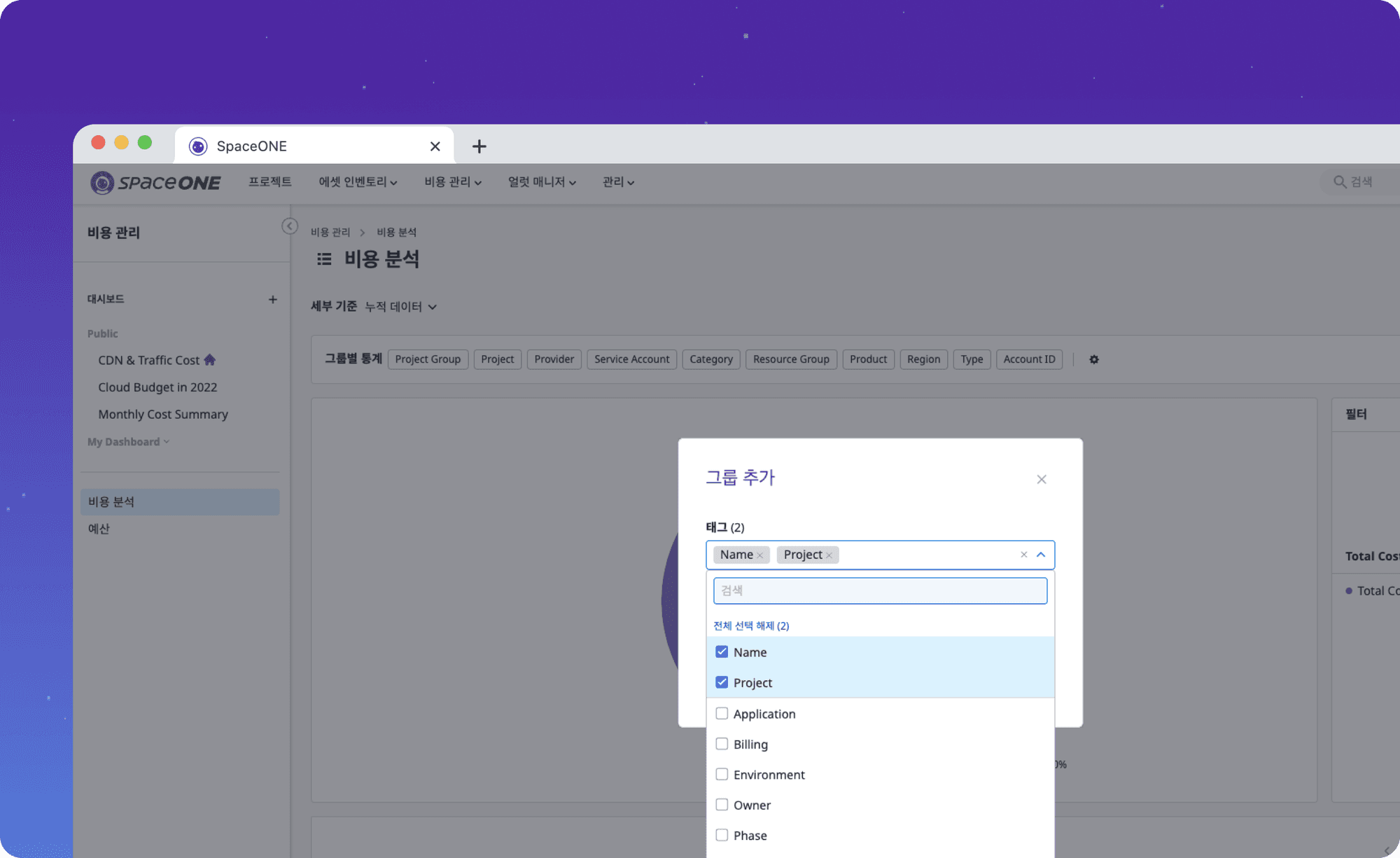
Do you want to see the cloud costs for a specific project at a glance?
The existing DataSourceRule feature has been improved to allow users to add custom policies.
Try designating specific projects based on tags in the Cost Dashboard using the updated features
3. Boost SpaceONE Productivity!
Isn't it inconvenient to check resources that do not require confirmation every time after inspection?
Utilize the SpaceONE tag feature to easily classify the status, even after implementing the inspection items appearing in AWS Trusted Advisor,
which inconveniently show the list all at once.
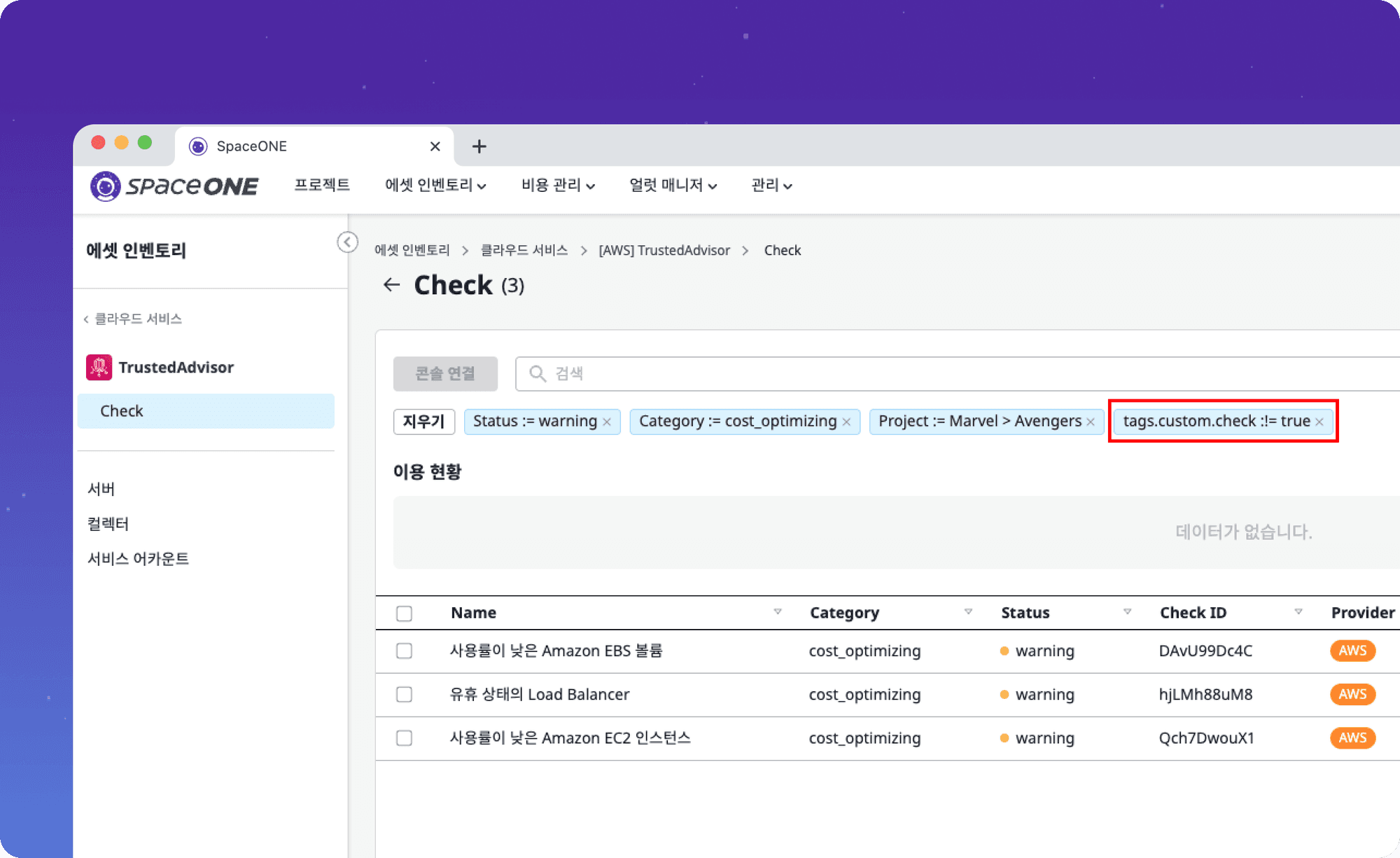
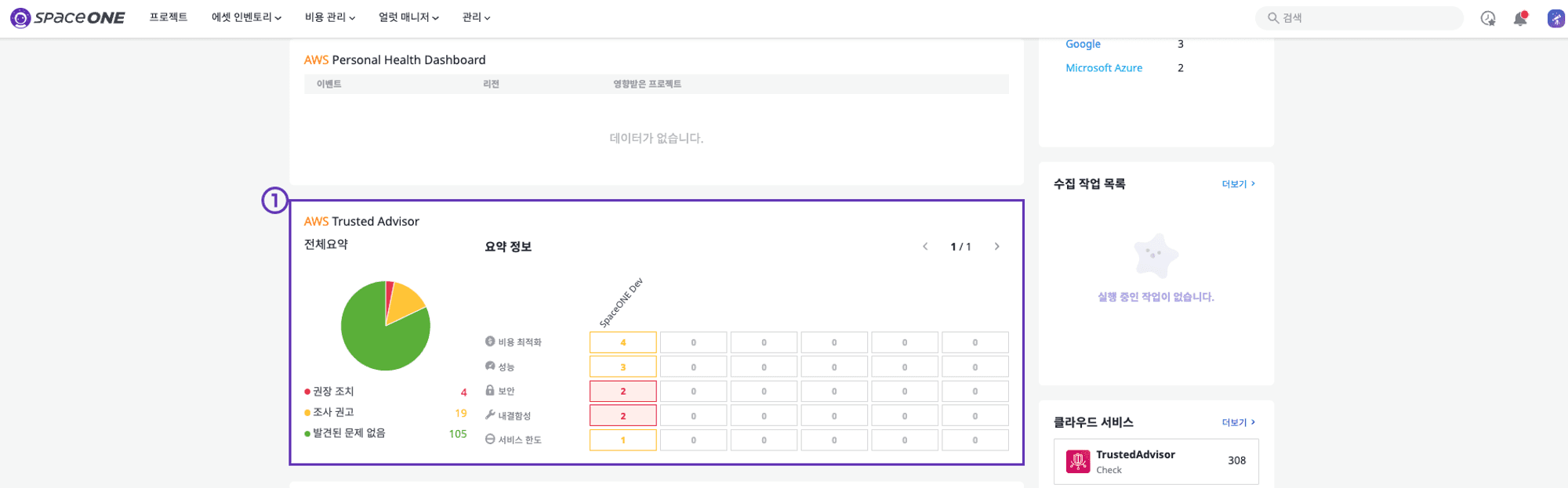
⓵ After accessing the console, select the service type you want to see from the AWS Trusted Advisor status on the main dashboard and move to the detailed page.
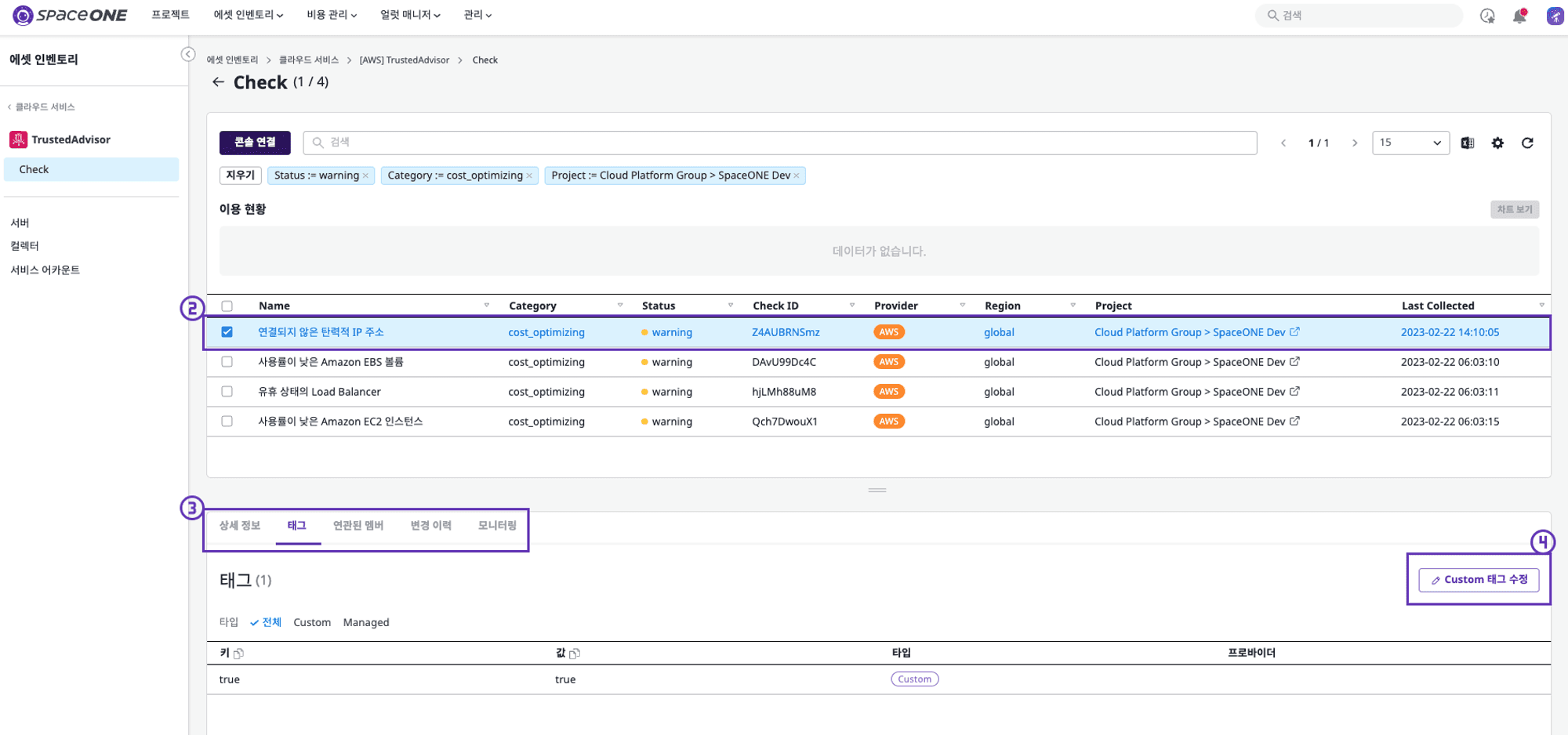
⓶ Select a specific service type from the filtered status that you want to exclude from confirmation.
⓷ Move to the tag page of the specific service.
⓸ Add tag list using the Custom tag modification feature.
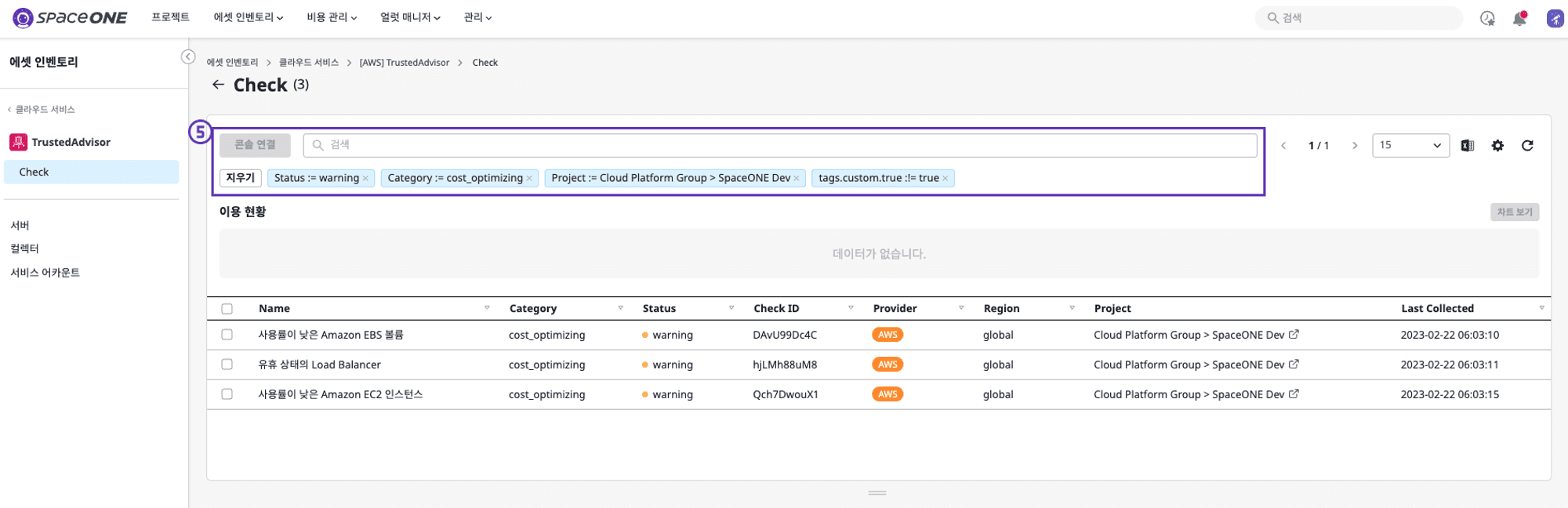
⓹ By filtering out specific service types that are unnecessary through Custom tag search, you can easily see the remaining service types.
4. Bugs & Fixes
Asset Inventory
The issue of Cleanup Scheduler not working in AWS DocumentDB has been fixed.
The issue of Collector not being created when the plugin_id is over 40 characters has been fixed.
Cost Explorer
The issue of not being able to download PDFs from the Dashboard has been fixed.
Alert Manager
The issue of receiving Low Urgency alerts even when setting to receive only High Urgency alerts in Notification Policy has been fixed.
The ability to set a negative value for escalate_minutes or repeat_count when configuring EscalationPolicy has been removed.
Supervisor Service
Plugin Connection issue has been resolved when deploying a Plugin to Kubernetes with Readiness Probe applied.
